How to Hide Reels on Instagram Without Losing Your DMs
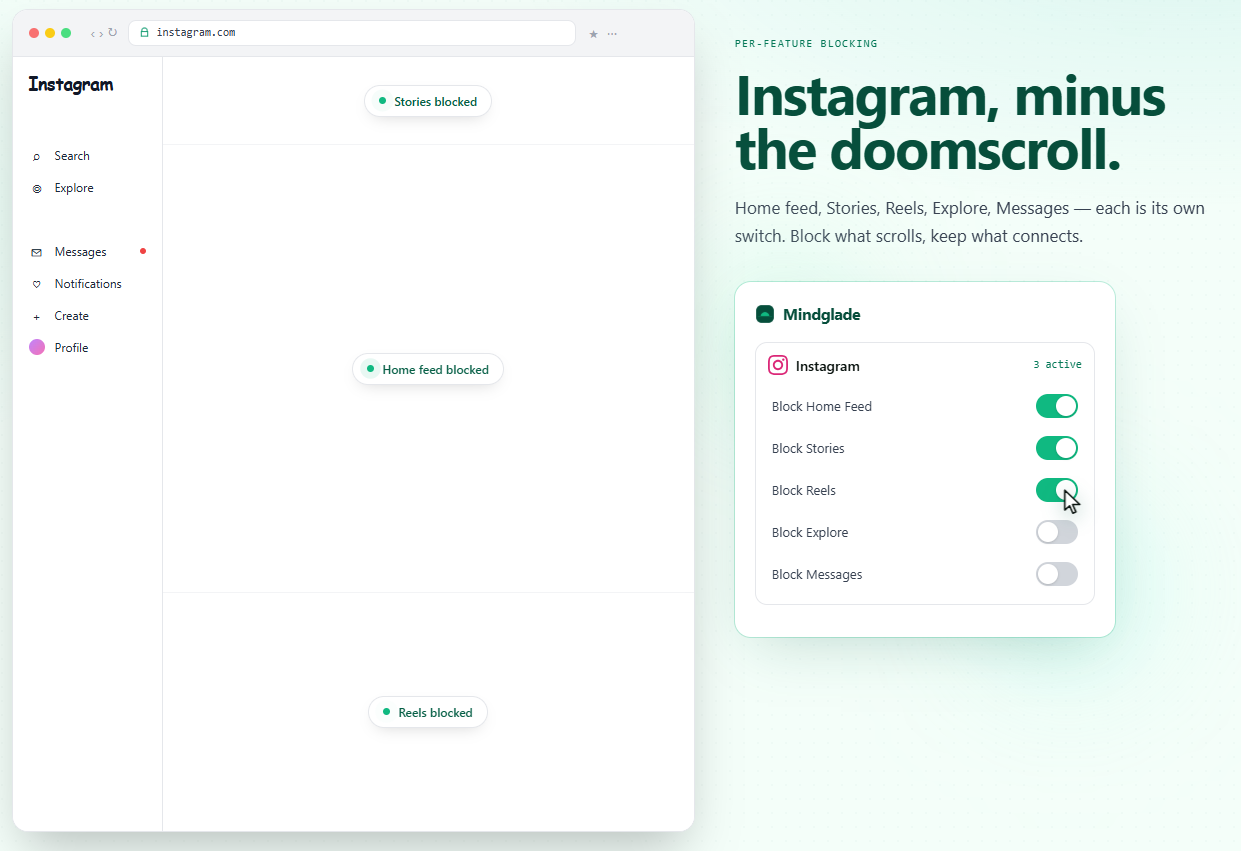
Short answer: Instagram has no built-in setting to hide Reels, and full-site blockers take your DMs down with them. Use a per-feature blocker like Mindglade to toggle off Reels, Explore, and Suggested Posts while leaving messages, search, and notifications untouched. Here's why that works and how to set it up.
I've logged in and out of Instagram 10+ times a day just to stop scrolling and read my messages. Instagram has no setting to hide Reels or Explore. As a result, I've spent more time on the login page than actually replying to friends. So I built Mindglade.
Why is Reels so hard to avoid in 2026?
Instagram is built around Reels now. Meta disclosed in late 2024 that 50% of all time spent on Instagram goes to Reels consumption. Sensor Tower data shared with CNBC put the figure at 46% in the US in 2025, up from 37% in 2024.
The redesign followed the data. Instagram's new bottom tab order is Home → Reels → DMs → Search/Explore → Profile, with the Create button moved off the bottom bar. Reels now sit in the second slot, one tap from anywhere. Adam Mosseri put it plainly: more than 50% of total time on the app is spent in Reels or DMs.

This is by design. The platform is engineered for short-form video to be the path of least resistance, which is why willpower alone tends to lose. The average Instagram user spends 33.1 minutes per day on the app. For Gen Z users aged 18–24, that climbs to 53 minutes a day.
Why not just block Instagram entirely?
Most likely, you're just like me and don't want to trade off productivity against friends. Instagram isn't just a feed — it's a messaging app with a built-in distraction. Blocking the entire website feels like cutting myself off from other people.
There's also a mental-health angle. Research by Dr. Melissa Hunt at the University of Pennsylvania found that limiting social media to 30 minutes per day produces measurable mental-health benefits. The goal isn't full abstinence. It's removing the part that keeps you scrolling past the conversation you came to have.
What doesn't work for hiding Reels
- The "Not Interested" button. Tapping it on a Reel slightly trains the recommendation algorithm. It does nothing about the Reels tab in the navigation. The next Reel will still load.
- Full-site blockers like BlockSite, Freedom, or Cold Turkey. These do exactly what they advertise — block the whole domain. Instagram.com becomes unreachable, which kills DMs along with Reels. Useful if you've decided to quit entirely; the wrong tool for keeping the messaging layer.
- Delay apps like one sec or Opal. These add friction before opening Instagram or set screen-time limits. They reduce frequency but don't remove the feature once you're in. If your problem is "I open the app, see a Reel, lose 40 minutes," a delay doesn't fix the trigger.
- Mobile Screen Time and Digital Wellbeing. Both are all-or-nothing. iOS gives you "Instagram: 30 minutes/day" — not "Instagram without Reels." Android has the same limitation. The mobile app is a sealed box from the operating system's perspective.
What actually works
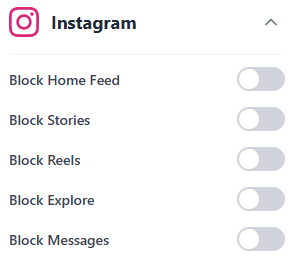
Mindglade is a browser extension with toggles for Reels, Stories, Explore, the Home feed, and Messages. It's free to install and use to block the distracting parts of Instagram. It also includes the features other apps have, like full-site blocking — so you're not missing out by choosing Mindglade. And it works on a bunch of other sites too, like YouTube.
Get started
- Install the browser extension for Chrome from the Chrome Web Store.
- Go to instagram.com.
- Open the extension's panel and turn on the Instagram toggles for Reels, Explore, and Suggested Posts. Leave DMs, Search, and Notifications alone.
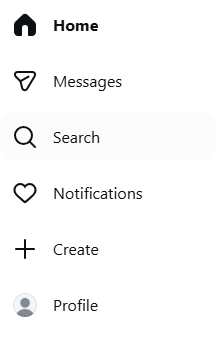
- Reload Instagram. The Reels icon disappears from the left sidebar, Explore loads as a blank page, and your home feed stops showing Suggested Reels between posts.